

Images are usually the heaviest part of a web page, and for the last decade the default answer to making them smaller has been WebP. It works everywhere, every build tool can output it, and it reliably beats a plain JPEG. But in a single week in October 2026, something shifted. On October 6, Chrome 155 started decoding JPEG XL by default, and a few days later Firefox 158 did the same. Safari has supported it since 2023. For the first time, every major browser engine can show a .jxl file without flags or plugins. So it is a good moment to ask the obvious question: is JPEG XL the format we should be serving now, and what does that mean for WebP?
What is JPEG XL?
JPEG XL is an image format standardized by the JPEG committee, the same group behind the original JPEG from 1992, as ISO/IEC 18181. It was finalized in 2022 and grew out of two earlier projects: PIK from Google and FUIF from Cloudinary. The name is a little misleading. It is not a tweak of the old JPEG, but a completely new codec designed from scratch for still images. It is royalty free, uses the .jxl extension and the image/jxl MIME type.
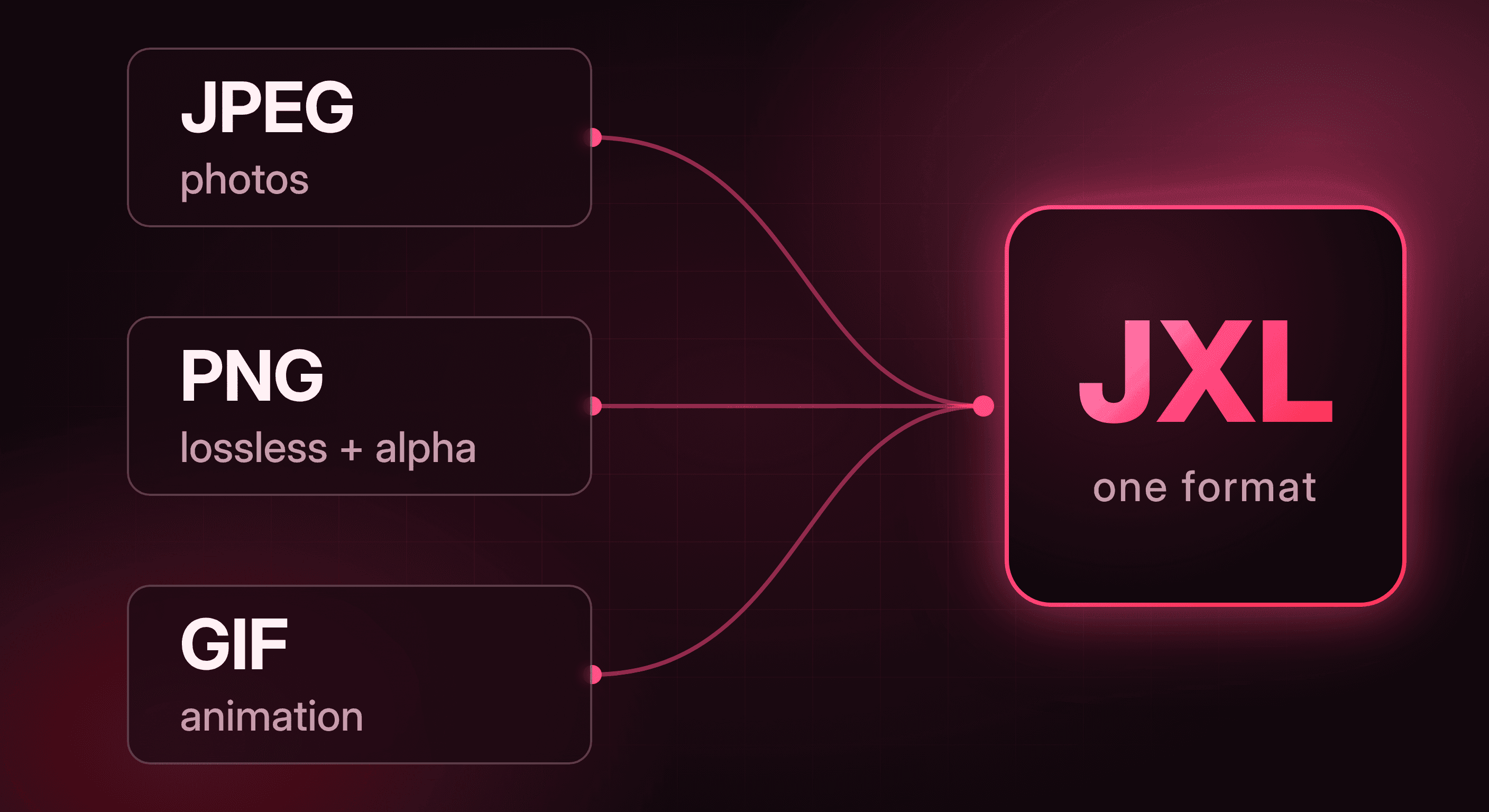
What makes it interesting is its ambition. Most image formats are good at one job. JPEG is for photos, PNG for lossless graphics and transparency, GIF for simple animations. JPEG XL was designed to cover all of those in a single format: lossy and lossless compression, transparency, animation, high bit depth, HDR and wide color gamuts. One format instead of three.
What JPEG XL can do that others cannot
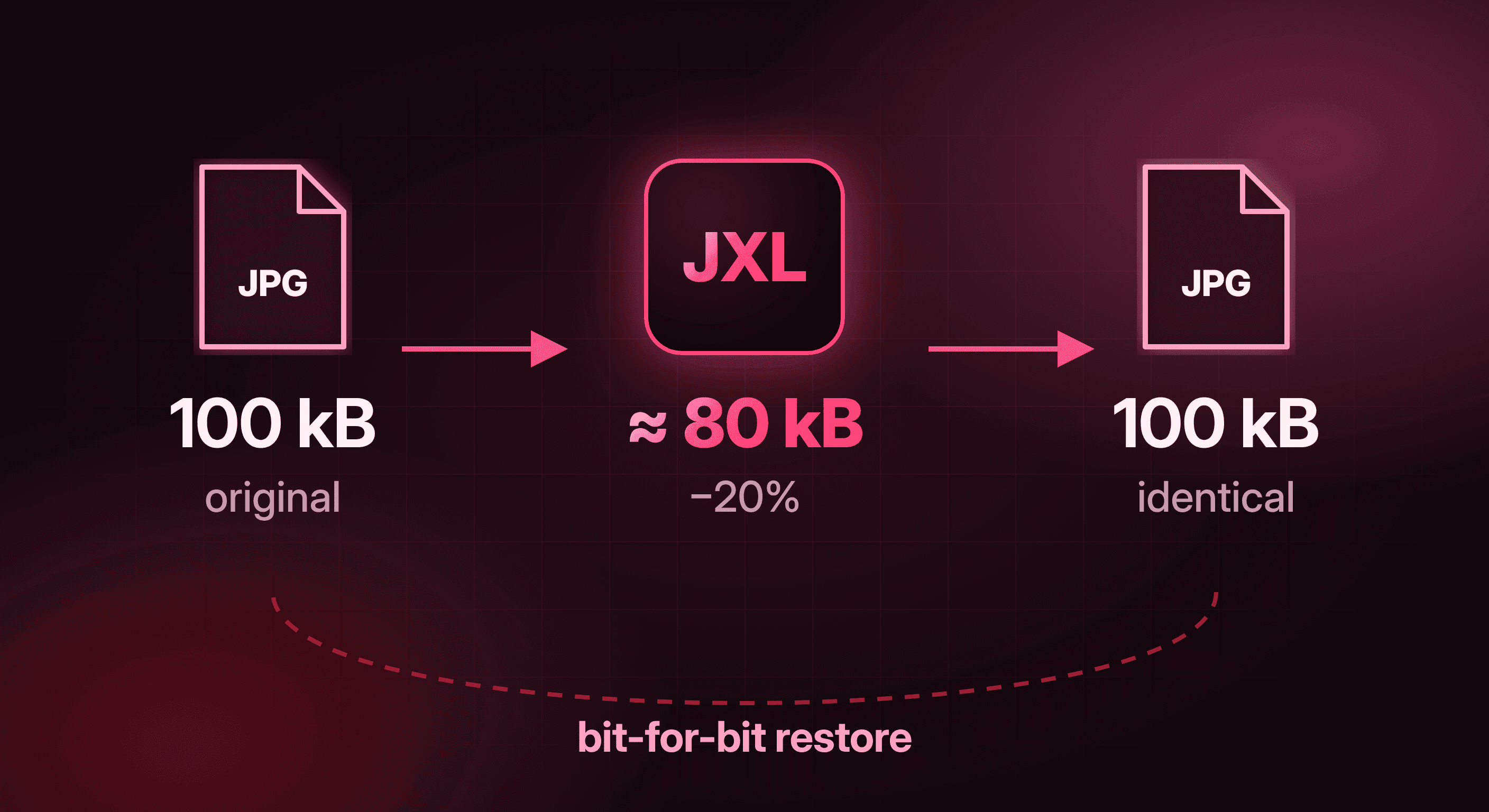
The feature that sets it apart from every other modern format is lossless JPEG recompression. You can take an existing JPEG and convert it to JPEG XL without decoding it to pixels first. The result is typically around 20% smaller, and nothing is lost: you can convert the .jxl back and get the exact original JPEG, byte for byte. For a site with years of uploaded photos, that is a free size reduction on images you already have, without any risk to quality. No other modern format can do this, WebP and AVIF included. Converting a JPEG to WebP always means decoding and re-encoding it, so you lose a little quality every time.
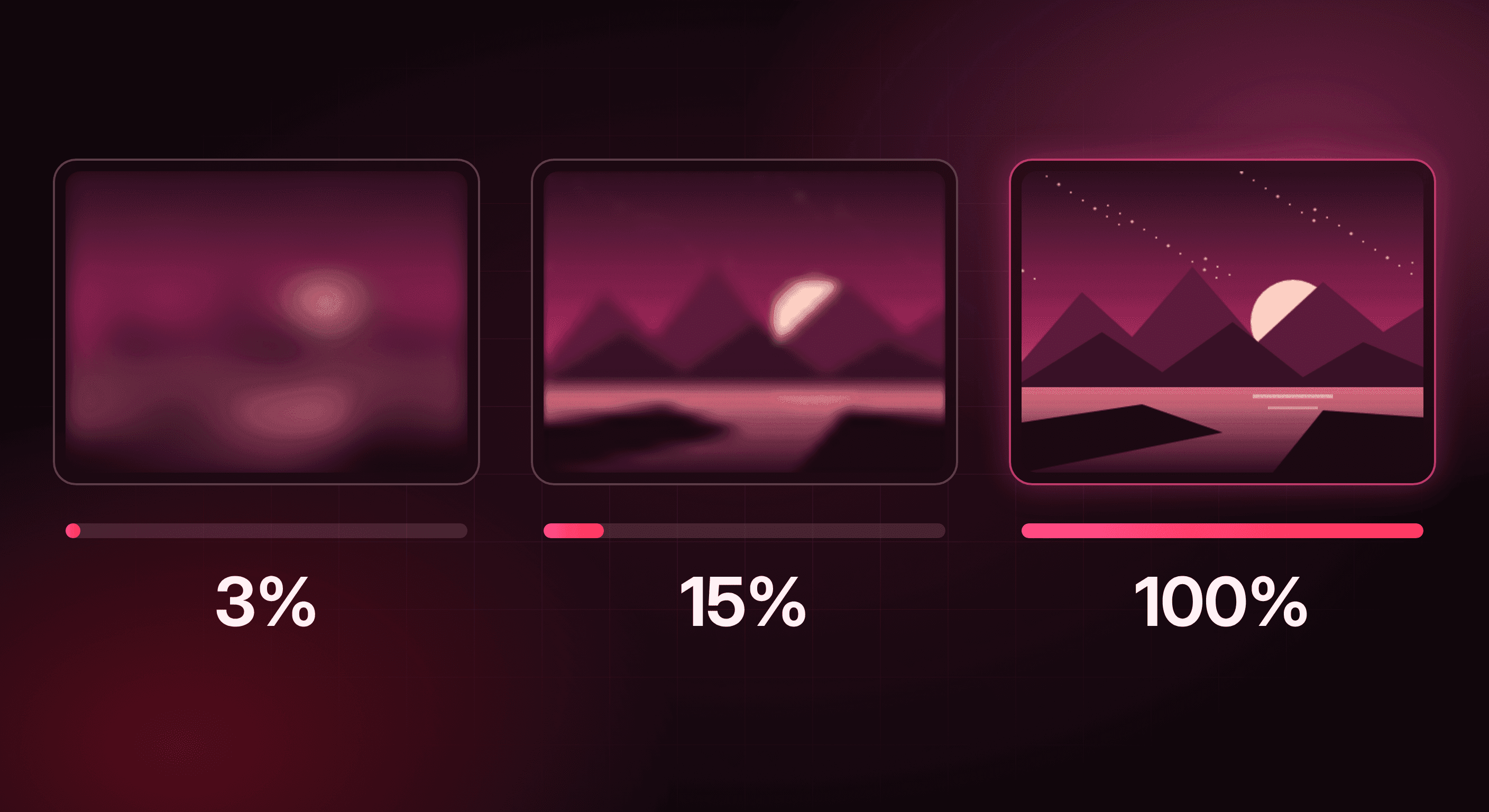
The second big feature is progressive decoding. A JPEG XL image can be shown while it is still downloading, starting with a rough preview after only a small part of the file and getting sharper as more data arrives. Old progressive JPEGs could do something similar, but WebP cannot: a WebP image only appears once it is loaded, or line by line from the top. For large hero images on slow connections, that difference is very visible. Chrome and Firefox render progressive JPEG XL, Safari currently does not.
Then there is the more professional side. JPEG XL supports up to 32 bits per channel, HDR, wide color gamuts and image dimensions of over a billion pixels per side. That last one sounds silly for the web, but it shows how much headroom the format has compared to WebP, which tops out at 16383 by 16383 pixels.
The bumpy road to the browser
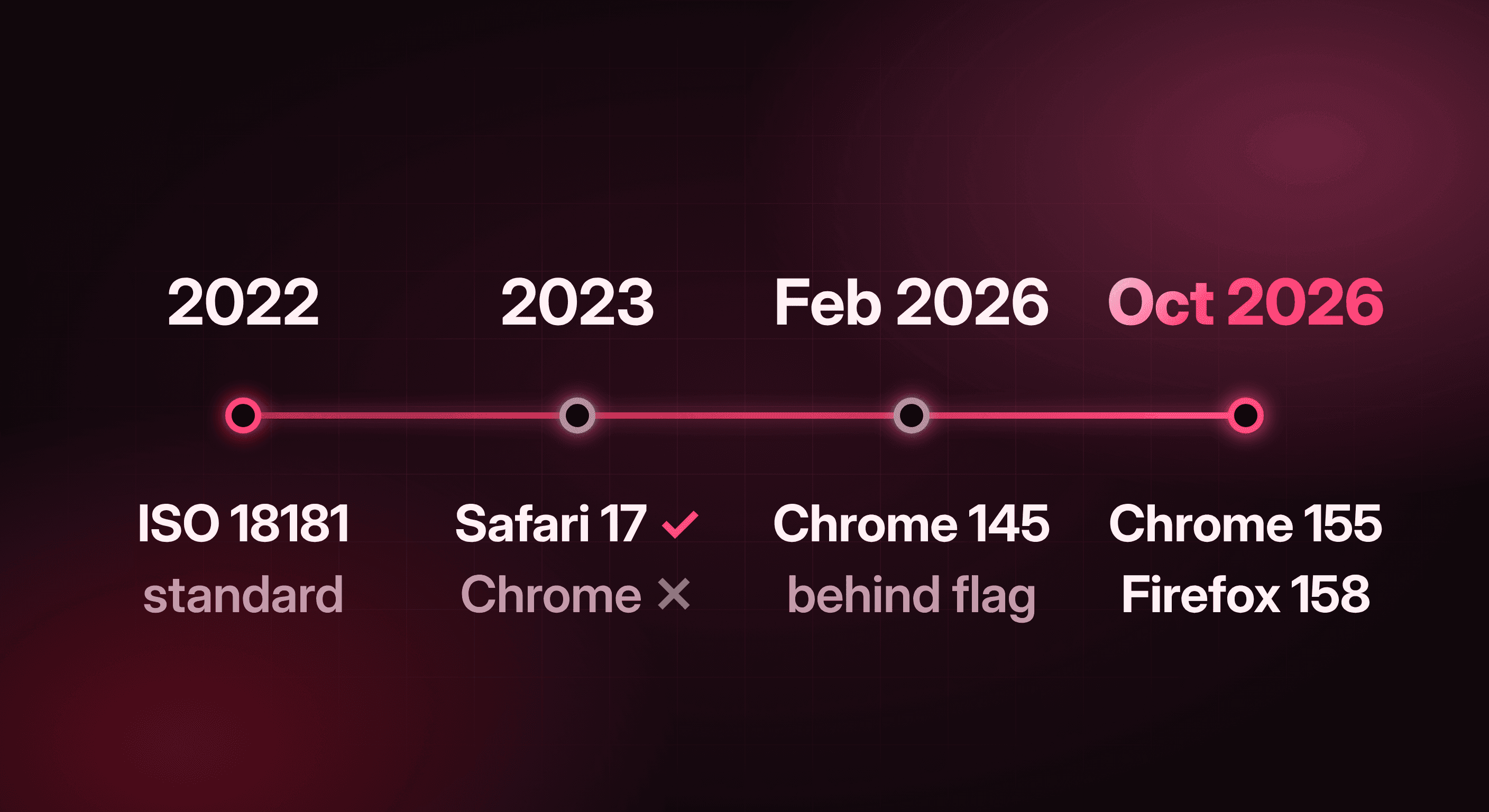
If JPEG XL is this capable, why are we only talking about it now? Because its browser history is a strange one. Chrome had experimental support behind a flag, then removed it in early 2023 with Chrome 110, arguing there was not enough interest from the ecosystem. Developers strongly disagreed. Safari shipped support in version 17 later that year, and JPEG XL kept showing up as one of the most requested features in the Interop project. In the end both Google and Mozilla chose a security first approach: instead of shipping the large C++ reference decoder, Google Research wrote a new, memory safe decoder in Rust called jxl-rs. Chrome 145 shipped it behind a flag in February 2026, and in October Chrome 155 and Firefox 158 both turned it on for everyone.
JPEG XL vs WebP
WebP was released by Google in 2010 and is based on the VP8 video codec. That video heritage explains most of its limits. Lossy WebP is always 8 bits per channel and always uses 4:2:0 chroma subsampling, which halves the color resolution and can make fine red or blue details look smeared. It has no HDR, no progressive rendering, and the 16383 pixel limit mentioned earlier. JPEG XL was built for still images from the start and has none of those restrictions.
On compression, JPEG XL generally wins, but the gap depends on the kind of image. For lossy photos, the Chrome team quotes 30 to 50% savings compared to JPEG, which is more than WebP usually achieves, especially at high quality settings where WebP's subsampling starts to hurt. For lossless images the difference is smaller than you might expect, because lossless WebP is genuinely good. In tests published by Mozilla, a lossless photo came out at 1.55 MB as WebP and 1.45 MB as JPEG XL, and a lossless screenshot at 96 kB versus 92 kB. JPEG XL wins, but by a few percent, not by half.
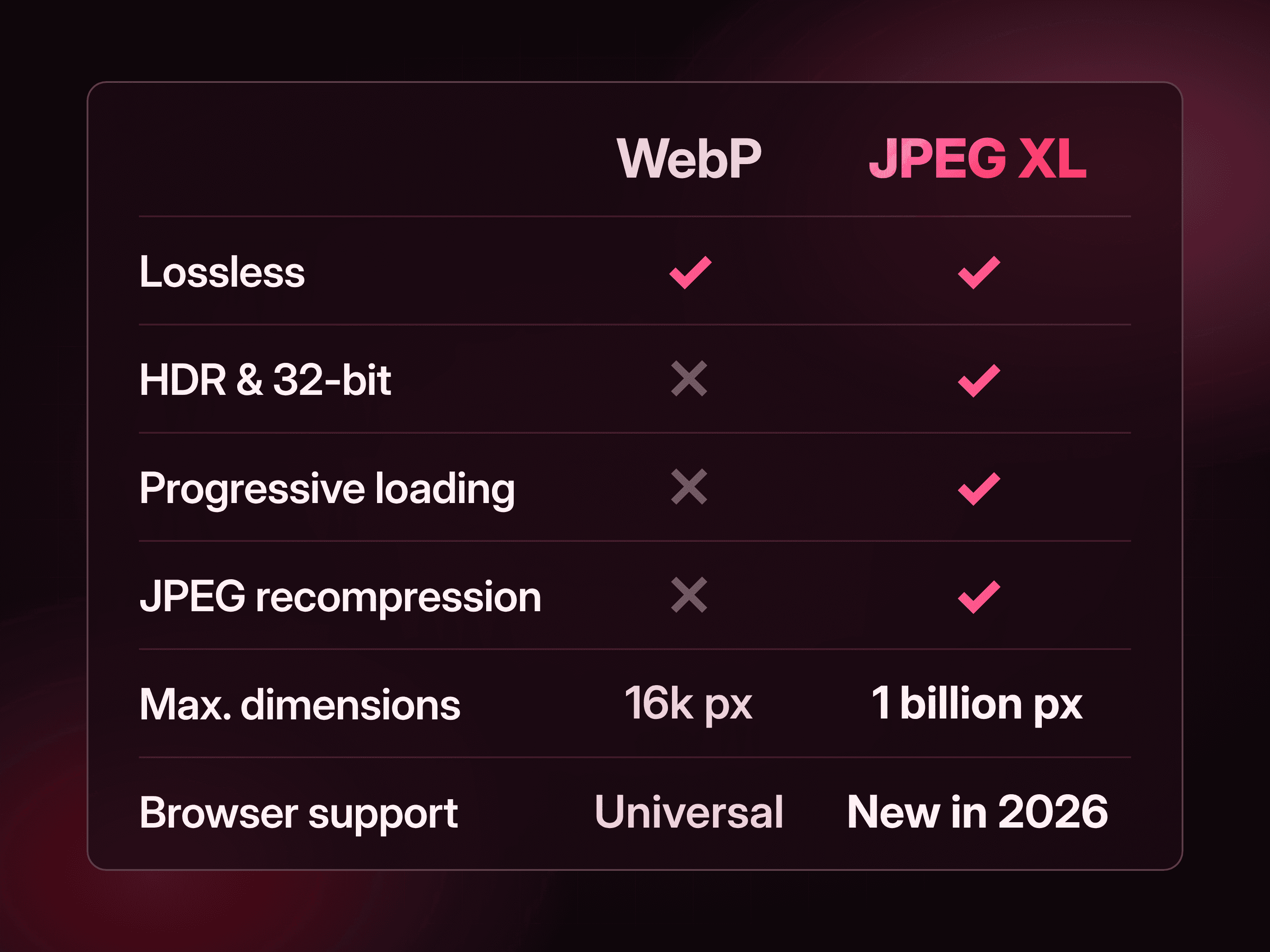
Where WebP still clearly wins is everything around the format. It works in practically every browser in use today, every CMS, CDN and build tool knows it, and encoding is fast and predictable. JPEG XL support in Chrome and Firefox is only days old, and the ecosystem around it is still catching up.
The downsides of JPEG XL
JPEG XL is not perfect, and it is worth being honest about where it falls short.
Browser support is brand new. Anyone on Chrome below 155, on Firefox ESR, or on an older iPhone or Mac still running Safari 16 or earlier will not see a .jxl image. That group will shrink quickly, but it will not be zero for a while, so a fallback is not optional.
AVIF is often smaller for typical web photos. This is the comparison people tend to skip. At normal web quality, AVIF frequently produces smaller files than JPEG XL. In Mozilla's example the same photo was 116 kB as AVIF and 134 kB as JPEG XL, and for a lossy screenshot the AVIF was only half the size. JPEG XL is not automatically the smallest option for every image.
Tooling is still catching up. Many image pipelines, CMS plugins and frameworks handle AVIF and WebP out of the box, but not JPEG XL yet. Expect some manual work with tools like cjxl, or rely on an image CDN that negotiates the format for you.
Safari has no progressive rendering. One of JPEG XL's best features does not work on iPhones and Macs yet, even though the image itself displays fine.
Using JPEG XL today, with a fallback
The good news is that this does not have to be all or nothing. The picture element lets the browser pick the first format it understands and skip the rest.
<picture>
  <source srcset="/img/hero.jxl" type="image/jxl">
  <source srcset="/img/hero.avif" type="image/avif">
  <source srcset="/img/hero.webp" type="image/webp">
  <img src="/img/hero.jpg" alt="..." width="1600" height="900">
</picture>
A browser that understands image/jxl takes the first source, everything else falls through to AVIF, WebP or the plain JPEG. The order does matter: if you put JPEG XL above AVIF, Chrome 155+ and Firefox 158+ will always download the JPEG XL version, even when the AVIF would have been smaller. So decide the order per type of image rather than once for your whole site. The same idea works in CSS with image-set():
.hero {
  background-image: image-set(
    url("hero.jxl") type("image/jxl"),
    url("hero.avif") type("image/avif"),
    url("hero.webp") type("image/webp")
  );
}
Generating the files is straightforward with cjxl and djxl from the official libjxl tools. When the input is a JPEG, cjxl does a lossless recompression by default.
# Lossless recompression of an existing JPEG (default for JPEG input)
cjxl photo.jpg photo.jxl

# Get the exact original JPEG back
djxl photo.jxl restored.jpg

# Visually lossless encode from a PNG
cjxl hero.png hero.jxl -d 1.0
If you use an image CDN, check whether it already supports JPEG XL through automatic format selection. Firefox 158 now sends image/jxl in its Accept header for images, so a CDN can serve JPEG XL only to browsers that ask for it, without any changes to your HTML.
Conclusion: should you start using JPEG XL?
Yes, but selectively, and always with a fallback. On almost every technical point, JPEG XL is a better designed format than WebP: more features, more headroom, real progressive loading, and a unique way to shrink existing JPEGs without any loss. Now that Chrome, Firefox and Safari all decode it, it is finally practical on the open web.
That does not mean you should convert everything today. My advice right now: put JPEG XL first where it actually shines. That means lossless images like screenshots, UI and illustrations where you would otherwise use PNG, large hero and photography images where progressive loading makes a visible difference, and recompressing an existing JPEG library. For ordinary lossy photos, test JPEG XL against AVIF on your own images, because AVIF will often still be smaller. And keep WebP underneath as the safe fallback, it is not going anywhere soon.
WebP was the right answer for the last ten years. JPEG XL is a strong candidate for the next ten, and for the first time, it is actually available to everyone.